

Find a local Sayvur deal
Shoppers browse Sayvur by city, category, vendor, map, or deal page to find offers from nearby businesses.
How Sayvur works
Sayvur turns local deal discovery into a simple loop: shoppers find useful offers, vendors reach nearby customers, and local ad revenue stays local.
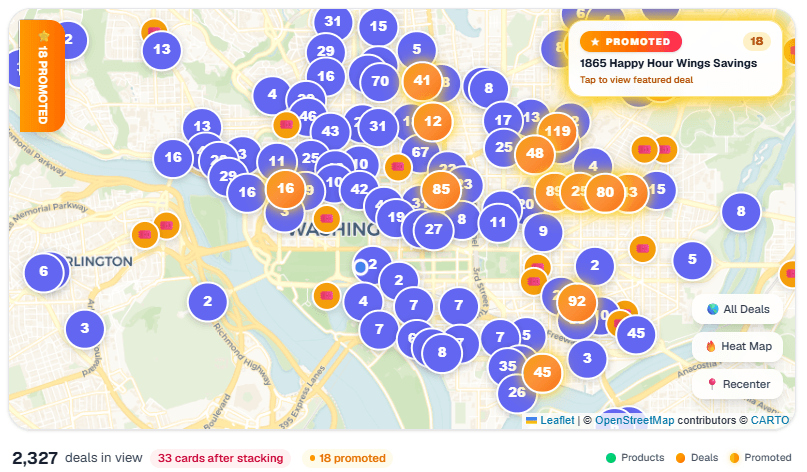
Shoppers browse Sayvur by city, category, vendor, map, or deal page to find offers from nearby businesses.
A shopper can open the deal details, clip the offer, and follow the vendor's redemption instructions for that listing.
Both sides reach each other in real-time, communities thrive, and local ad revenue stays local.
Sayvur helps shoppers find nearby deals, compare current offers, save favorite listings, and discover local vendors through public deal pages and the iOS app.
Sayvur gives local businesses public vendor pages, deal detail pages, and launch guides that help nearby shoppers find active offers.
Sayvur keeps the local shopping loop local: local businesses post, local shoppers shop, and neighborhoods get a stronger marketplace.
Sayvur FAQ
Sayvur is the local shopping marketplace that matches shoppers with nearby businesses in real-time.
Shoppers browse current deals, open a deal detail page, clip or follow the redemption instructions, and redeem with the vendor.
Vendors can join Sayvur, publish local offers, and get public vendor and deal pages that are discoverable by shoppers and search engines.
The Sayvur shopper app is available on the Apple App Store and Google Play, and Sayvur also has public web pages at sayvur.com.